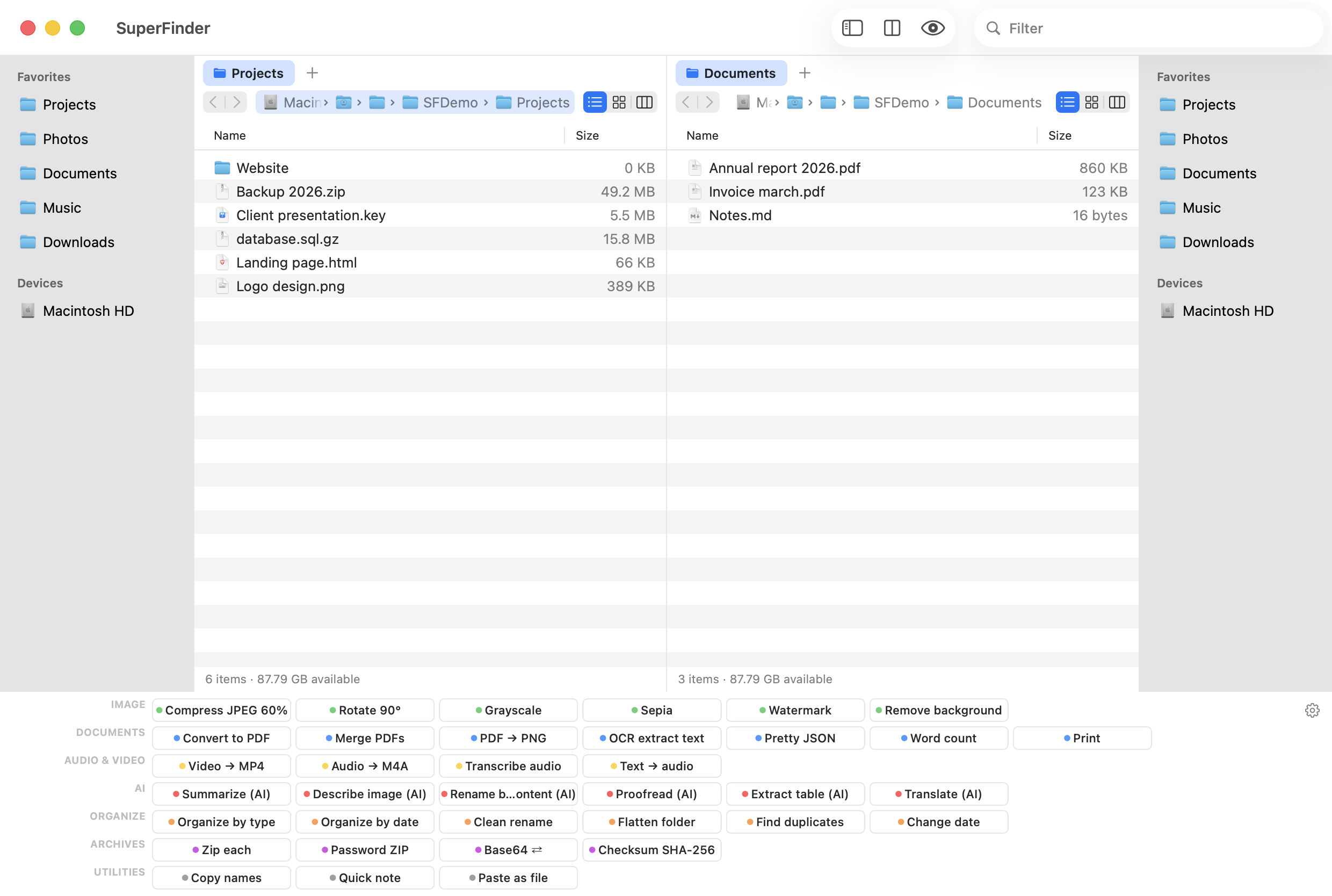
TotalFinder stopped working on modern macOS: it needs SIP disabled and breaks with every update. SuperFinder brings back what you loved —dual pane, tabs, colored labels— as a native, standalone app, no hacks.
14-day trial · macOS 12 or later · Apple Silicon & Intel · 13 MB · signed and notarized by Apple
TotalFinder worked by injecting code inside Finder. Allowing that means disabling SIP (System Integrity Protection), macOS's system protection —something Apple advises against and that lowers your whole Mac's security—. On top of that, every macOS update broke the injection, and its development is essentially stalled: on Sonoma, Sequoia and Tahoe it is no longer a reliable option.
SuperFinder takes the opposite path: it's a separate app that uses only public Apple APIs. Drag to install, notarized, and it survives every macOS update. Without touching Finder, without disabling SIP, no surprises.
Everything good about TotalFinder, without its problems — and quite a bit more.
| SuperFinder | TotalFinder | |
|---|---|---|
| Works without disabling SIP | ✓ | ✗ |
| Survives macOS updates | ✓ | ✗ |
| Works on Sonoma, Sequoia & Tahoe | ✓ | ✗ |
| Signed & notarized by Apple | ✓ | ~ |
| Dual pane | ✓ | ✓ |
| Tabs | ✓ | ✓ |
| Full-row color labels | ✓ | ✓ |
| Slide-out Visor | ✓ | ✓ |
| Copy queue with progress & pause | ✓ | ✗ |
| Batch rename with regex | ✓ | ✗ |
| Compare & sync folders | ✓ | ✗ |
| Built-in SFTP client & SSH terminal | ✓ | ✗ |
| Network scanner & SMB/NFS/WebDAV mounting | ✓ | ✗ |
| Price | €15 one-time | $18 (discontinued) |
SuperFinder doesn't just match TotalFinder: it adds the tools it always lacked.
No. SuperFinder is a standalone app using only public Apple APIs. It injects nothing into Finder, so SIP stays enabled and your Mac stays protected.
Yes. It runs on macOS 12 (Monterey) and later, including Sonoma, Sequoia and Tahoe, on Apple Silicon and Intel. And it survives future updates.
No. It's a brand-new app written from scratch in Swift, unrelated to TotalFinder. It recreates its best features with a modern, safe approach.
Yes. Finder stays your system's Finder; SuperFinder is where you manage files seriously. Labels, favorites and clipboard interoperate between both.